Your own map server, fully offline.
Basemaps, routing, search and road-asset intelligence served from your network, with no internet, no cloud and no data leaving your site.
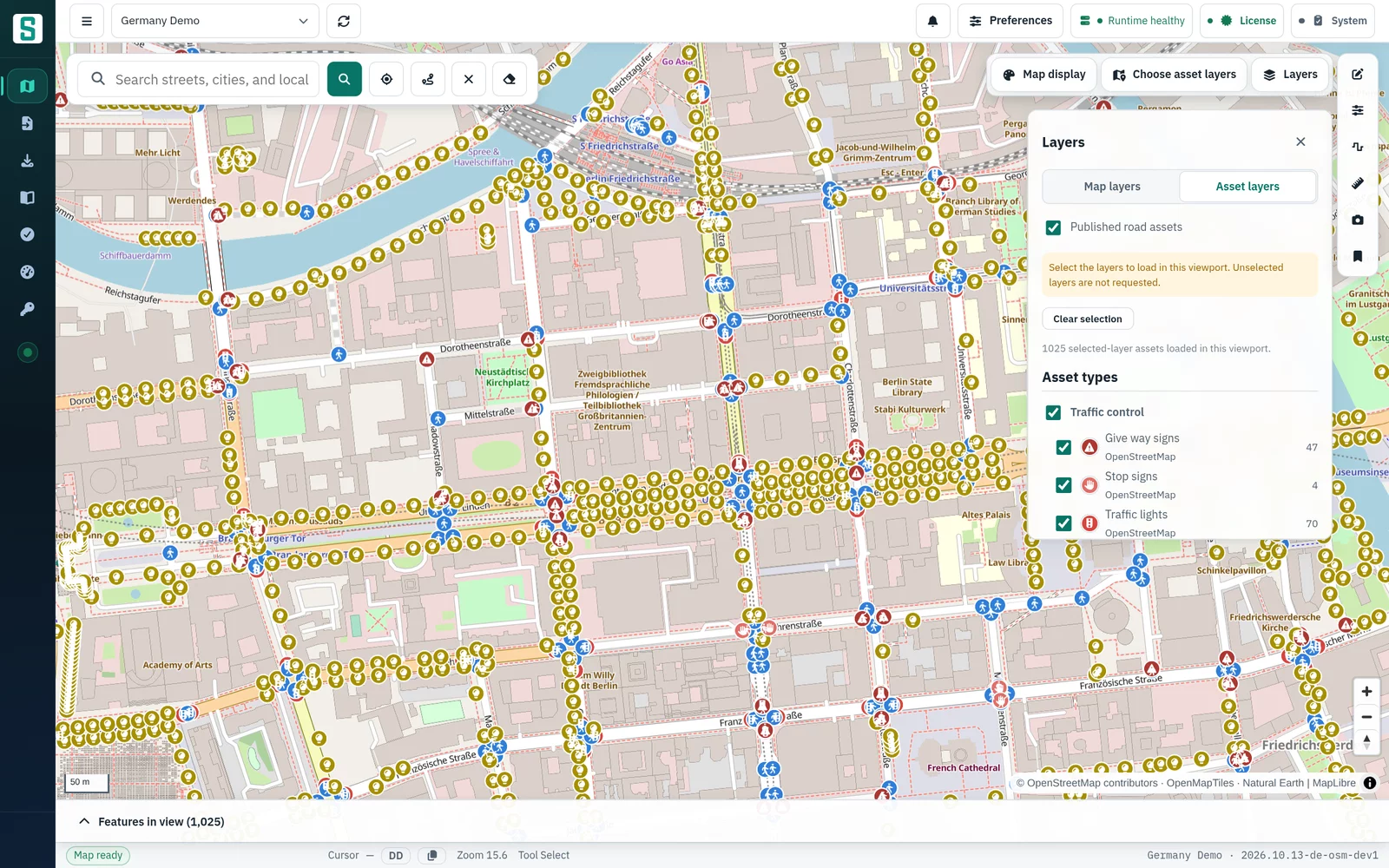
- Vector basemaps
- Routing and isochrones
- Search and geocoding
- Road-asset layers
- Closures and live traffic
- OGC API – Features
For organizations that cannot send location data to public map services.
- No internet or cloud dependency
- No location data leaves your site
- Your access controls and audit trail
Municipal road and asset management
Inspect, edit and publish road-asset data such as signs, lighting and crossings on maps hosted in the municipal network.
Utilities
Give planning and field teams basemaps, search and routing that stay inside the utility's own infrastructure.
Emergency operations
Keep maps, routing and reachable-area analysis available inside the operations network, without a public map service.
Secure facilities
Run the complete map service in air-gapped environments where no request may leave the site.
A professional GIS console for your operators.
The server ships with a full-screen map workspace. Operators search, inspect, measure and edit without any request leaving your network.
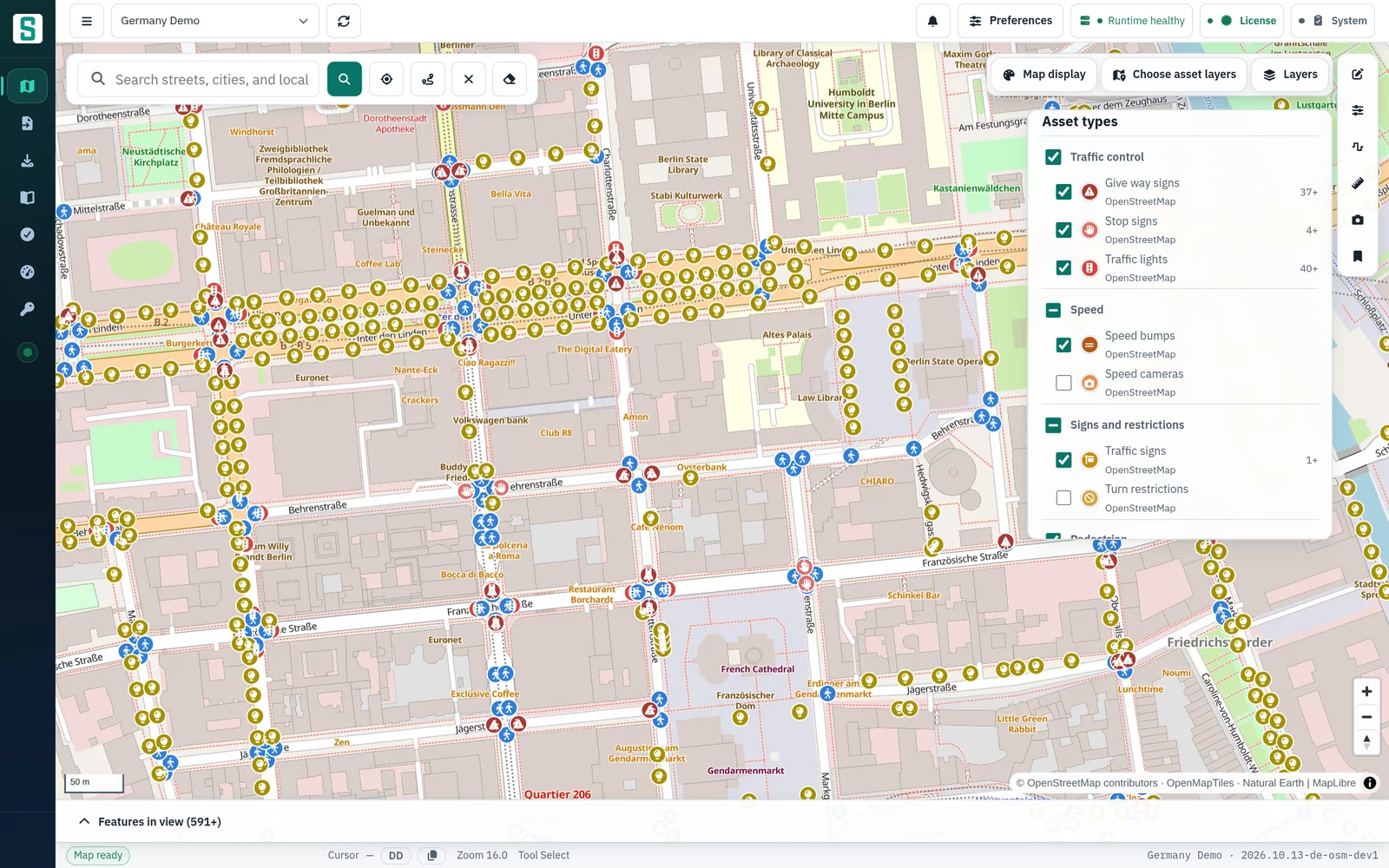
Road assets by category, each with its own symbol
- 27 asset types across traffic, signs, lighting, pedestrian, barriers, road geometry and more
- Each type has its own color and symbol
- Choose the categories you need. Only the selected types are loaded for the current view
ROAD OPERATIONS
Routing that knows what is happening on your roads.
ROAD CLOSURES
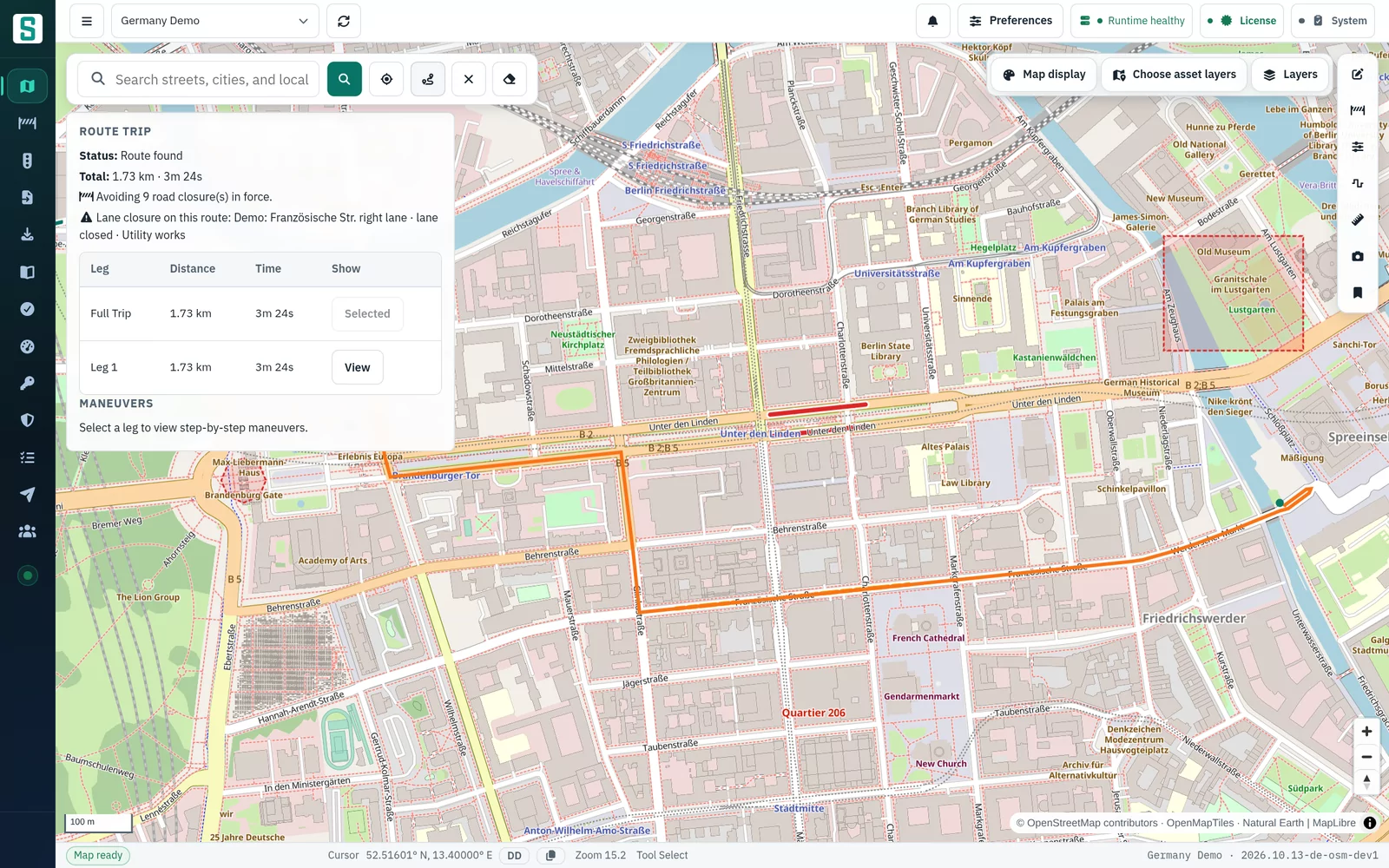
Close a road once, and every route avoids it.
Operators draw a closure on the map. Within about a second, every route and isochrone, in the console and through the API, goes around it. No map rebuild is needed.
- Close a road section, bridge, tunnel, intersection, roundabout or area. Crossing streets and roads under a bridge stay open
- Lane closures leave the road open and reduce its capacity, with a warning on routes that use it
- Schedules, an impact check, a 14-day timeline and events that group the closures for one occasion
- Optional two-person approval, and a history of who changed what
LIVE TRAFFIC
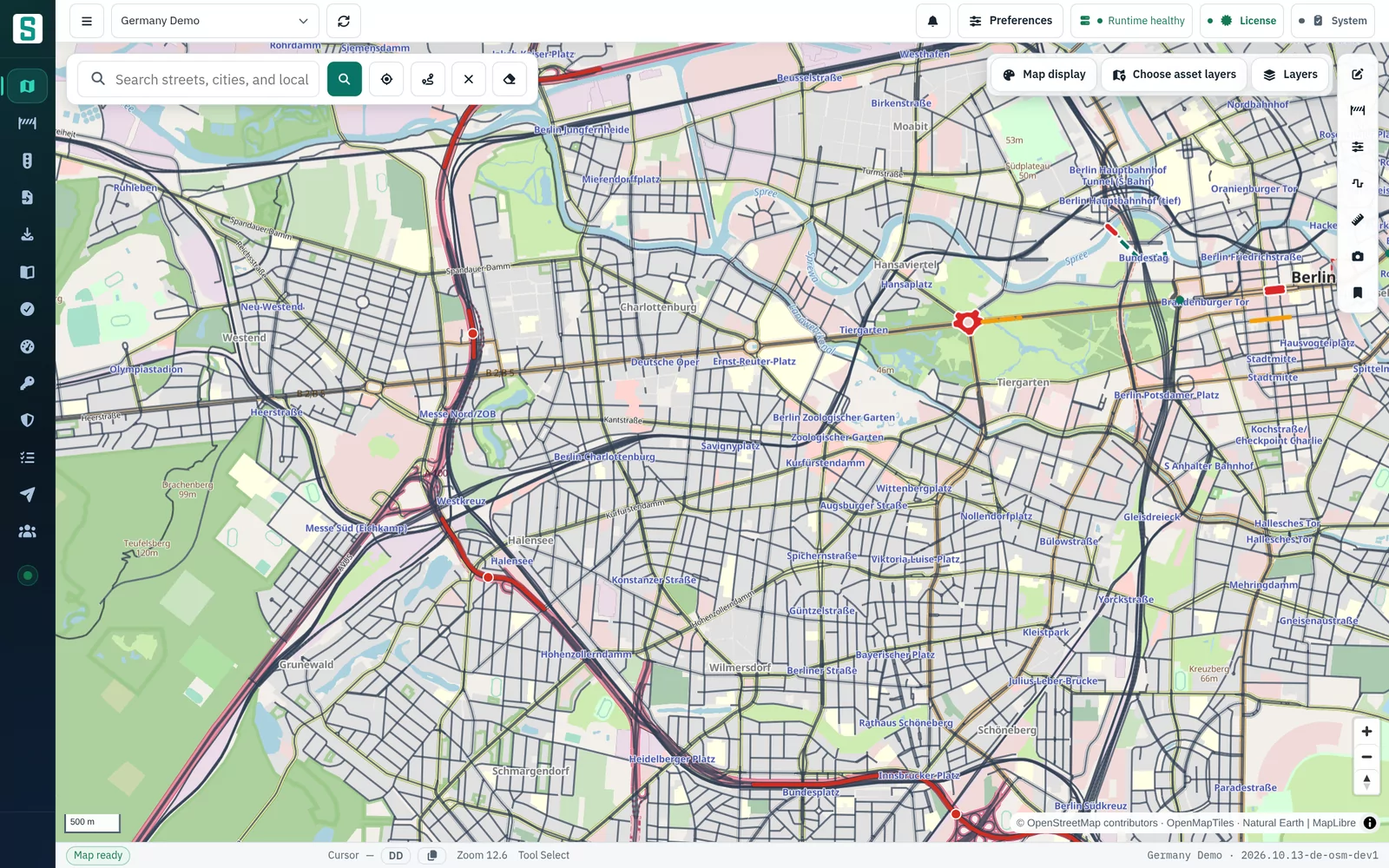
Your own traffic data in routing and on the map.
Live speeds come in through SenDevo's own ingest API or a file an operator loads, so routing uses current conditions without depending on an outside service.
- DATEX II (v2 and v3), TPEG2, Autobahn GmbH warnings, CSV, JSON and GeoJSON
- Push from your systems, or let the server pull a feed on a schedule
- A dry run previews what matches the road network before anything is loaded
- Speeds expire on their own, so a stopped feed never leaves old jams in routing. One click clears all live traffic
Console screenshots, Germany demo data with demo closures. Traffic from the public Autobahn GmbH feed. Map data © OpenStreetMap contributors.
DIGITAL-TWIN READY
The geospatial platform for your digital twin.
Your existing GIS tools and applications use the same basemaps, routing, search and road-asset data as the console, through standard APIs on your own network.
OGC API – Features
Standard access to features for QGIS, GDAL and digital-twin applications.
Tiles, routing, search and asset APIs
Each integration gets its own API key. Users sign in to the console with their own login.
Named external web apps
Browser applications outside the console can be allowed explicitly, one by one.
Road closure and live-traffic APIs
External systems create closures with their own reference IDs and push traffic speeds. Keys can be limited to a scope and region, and approvals stay with people.
Signed webhooks
Closure changes, road-asset publications and traffic clears are pushed to your systems, signed with HMAC-SHA256 and retried for 24 hours.
Integration guide and example client
A developer integration guide and an example twin-viewer client to start from.
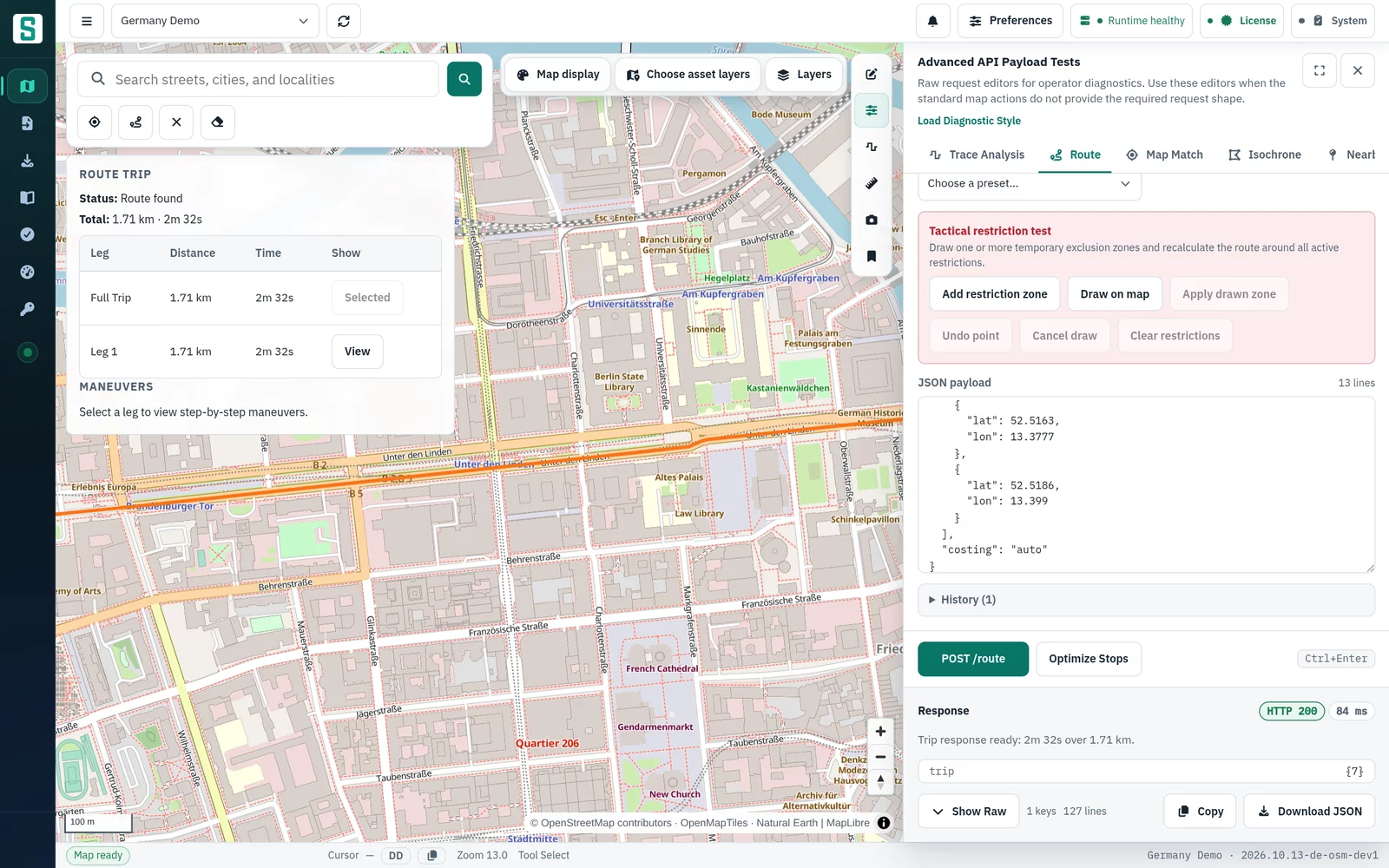
Advanced API Payload Tests
Operators and integrators can send raw requests to the route, isochrone, map-matching, trace-analysis and nearby-asset APIs from inside the console. The console shows the response and draws the result on the map.
Console screenshot, Germany demo data. Map data © OpenStreetMap contributors.
Security and operations inside your boundary.
Fully air-gapped
Basemap tiles, styles, fonts and sprites are served from your server. An air-gap check runs on every build, so the product makes no external network calls.
Single sign-on and two-step verification
Sign in with your identity provider through OpenID Connect, or with LDAP / Active Directory, with groups mapped to roles. Authenticator-app codes (TOTP) can be required per role. Login is required for all data, and repeated failed sign-ins are throttled.
Tamper-evident audit trail
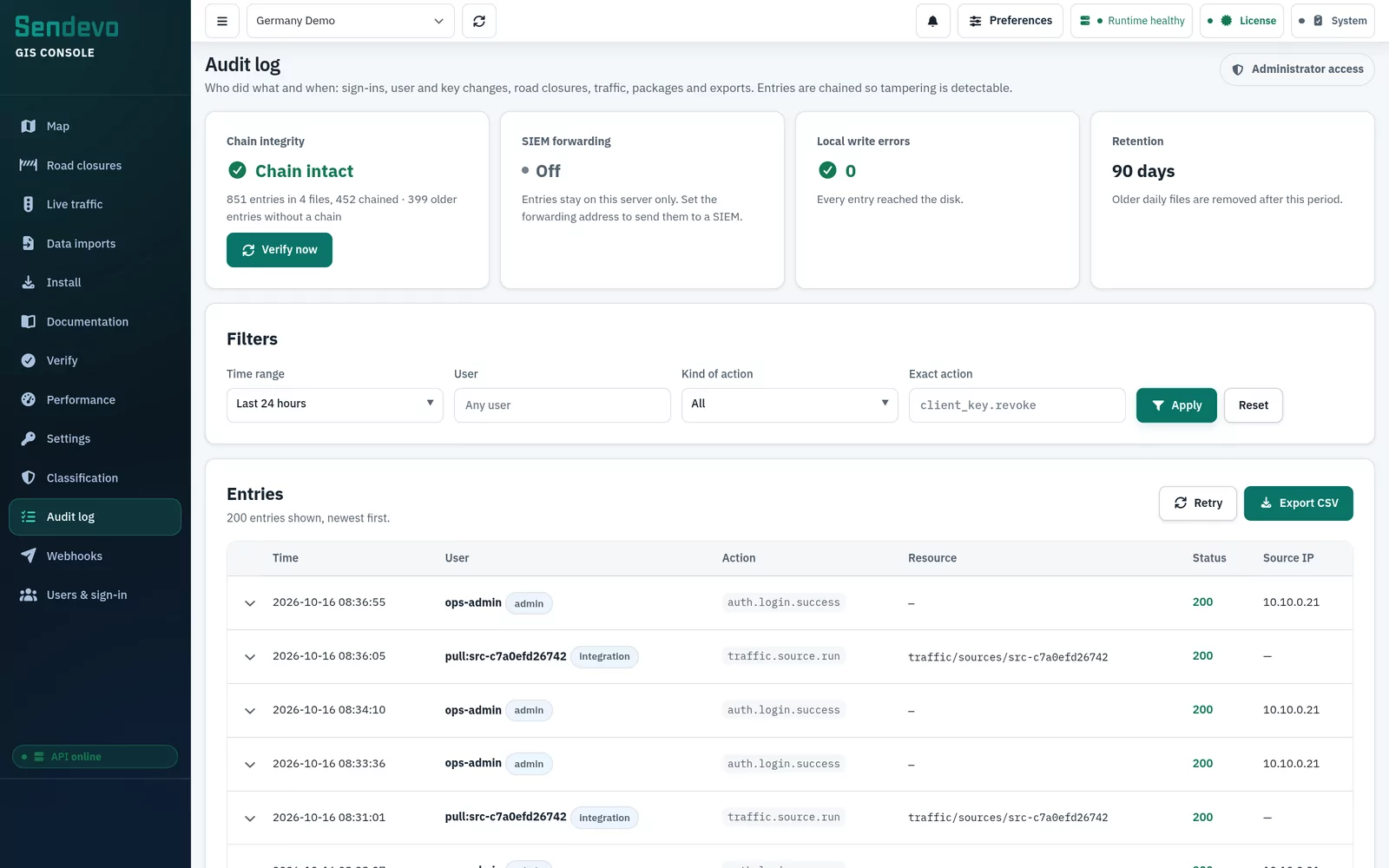
Every change, sign-in and export is recorded with who, when and from where. Entries are hash-chained so edits are detectable, and can be forwarded live to your SIEM over syslog with TLS.
Classification labels
Optionally mark data with your classification scheme. The level shows on every console page and on every export, and exports from a chosen level can be limited to admins or blocked.
Operations built in
Health checks, endpoint probes, a diagnostics bundle and built-in benchmarks, plus install, verify and performance pages, documentation and a command palette (Ctrl+K).
From geographic scope to a running server.
Scope the coverage
Agree the countries or regions, services and the applications that will connect.
Prepare a signed package
Map data ships as a signed, versioned package of tiles, routing, search and asset data.
Install inside your network
Run it with Docker Compose, on Kubernetes with a Helm chart, or natively on Linux with systemd. Each package is validated before activation and can be rolled back.
Connect and verify
Point your applications at the local APIs and confirm coverage, styles and routing on the verify pages.
PAID ADD-ON · ON REQUEST
Managed publication of your own GIS data.
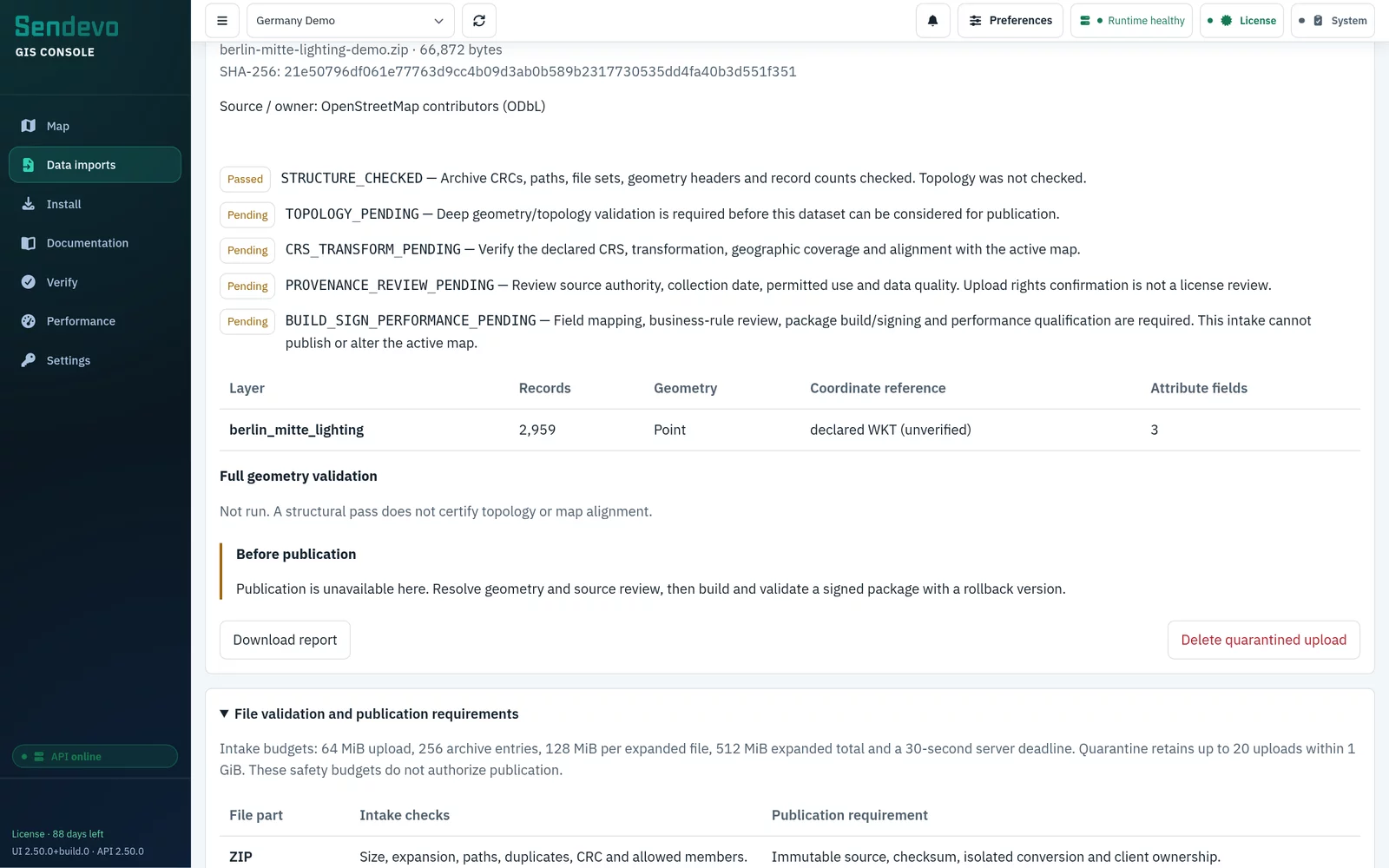
The console’s Import map data step gives your GIS data a validated intake with a report. It is the first step of a managed publication service, not a direct upload to the live map.
- Shapefile ZIP intake (.shp, .shx, .dbf and .prj for every layer), up to 64 MiB per upload, for admins only
- A structural intake check with a downloadable report covering archive integrity, file sets, geometry headers, record counts, declared CRS and attribute fields
- Uploads stay in quarantine. Nothing is added to the live map automatically
- Topology, CRS, provenance and field-mapping review, a signed package build and validated activation with a rollback version complete the publication
- CAD and BIM files (DWG, DXF, RVT, IFC) must first be exported to georeferenced GIS formats
Licensed per site, priced for your deployment, not your traffic.
Each quotation is scoped to the site and states the licence term and usage rights. It depends on:
- Geographic coverage
- Included services
- Deployment topology
- Application integrations
- Support and data updates
- Optional data publication add-on
Frequently asked questions
No. The server, the GIS console and the map data run entirely inside your network. Basemaps, styles, fonts and sprites are served locally, and an air-gap check runs on every build so that the product makes no external network calls.
Bring your own map server inside your network.
Tell us where the platform will operate, which applications it needs to support and what geographic coverage you require. SenDevo will help define the right offline map and routing package for your environment.
Provide your target region, deployment environment and intended use case so we can prepare a relevant discussion.